You've shipped something. It works, a handful of friends and colleagues have tried it, and now comes the part nobody warns you about: finding people who aren't already in your network. Cold outreach feels like guessing. Paid ads need a budget and a funnel you probably haven't built yet. Word of mouth is real, but it's slow, and you can't plan a launch week around hoping it kicks in on time.
There's a faster way to find your first users, and it doesn't need a marketing budget: watch the public conversation where people are already describing the problem you solve, in their own words, before you ever say a word to them. That's what social listening does at this stage, and it's a smaller job than it sounds.
Why word of mouth alone doesn't get you there
Word of mouth needs two things you don't have yet: enough existing users to talk, and enough time for the talking to spread. In the first weeks after launch you have neither. Meanwhile, the people who'd genuinely want what you've built are out there right now, on Hacker News, on Bluesky, on X, asking questions, complaining about the workaround they're currently stuck with, or describing a workflow that's obviously missing a piece. Those first two are genuinely open, which is why a small team can watch these communities at all: Hacker News publishes a read-only API anyone can call and Bluesky publishes a firehose of every public post. None of that reaches you through word of mouth, because they don't know you exist to tell.
A monitor changes that. Instead of waiting for someone to mention your name, you watch for the problem itself, which people are already discussing whether or not a solution exists yet.
What does social listening find before you have any users?
It finds three specific things, all of which show up before a single person has heard of your product: people naming the problem you solve without naming any tool, people complaining about whatever they currently use to solve it badly, and the moment your own launch generates its first burst of public reaction. All three are searchable the same way, through a keyword monitor rather than a brand monitor, because your brand isn't in the conversation yet.
Two monitors that help you find your first users
Set these up before you need them, not after a launch goes quiet and you're wondering why.
A problem monitor. Describe the pain in the words a frustrated person would type, not your own product language. If you've built a tool for freelancers to chase unpaid invoices, the monitor isn't "invoice software," it's the complaint: "client won't pay" OR "chasing invoices" OR "late payment" NOT job. Babel42's AI query builder turns a plain description into that Boolean search for you, and you can refine it with AND/OR/NOT once it's running. This is the monitor that finds people before they've searched for a solution at all, which means before any competitor has found them either.
A category monitor. Once a rough solution category exists in people's heads (even if they don't know your name), track how they talk about it: "invoice chasing tool" OR "invoicing app" OR "freelance invoicing". This one catches people slightly further along, comparing options or asking for recommendations, which is a different and generally warmer moment to show up in than the raw-complaint stage above.
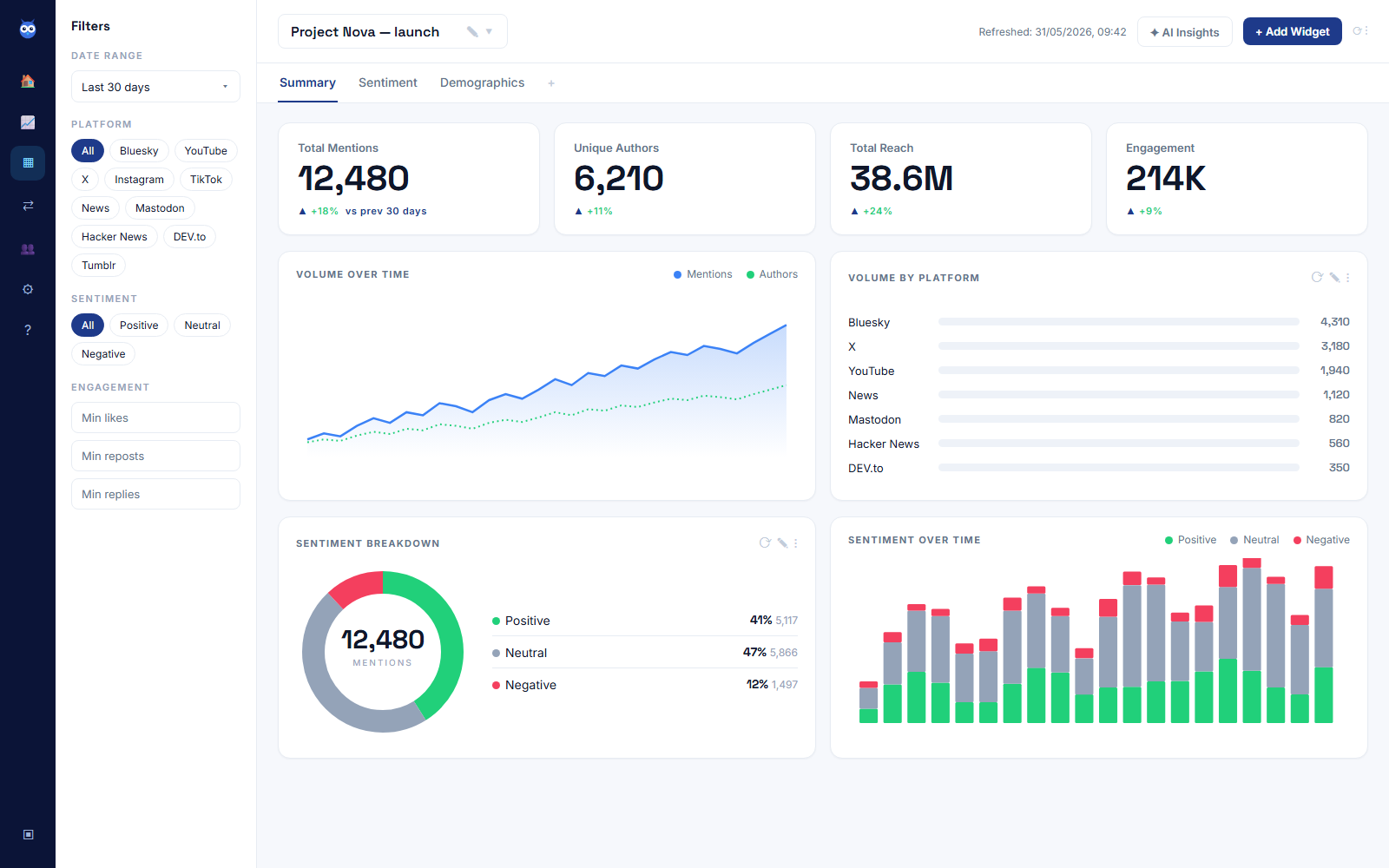
Two monitors covers most of what matters at this stage. Babel42's free plan gives you exactly two, along with one channel, five networks and 500 mentions a month with 90 days of history, no card required, which is enough to run both of the above properly before you need to think about upgrading.
The window right after you launch is when this pays off most
A Show HN post, a Product Hunt launch, a first press mention: each one generates more public reaction in a few hours than the weeks before or after it combined, and it happens exactly when you're least able to sit refreshing tabs. This is where a channel earns its place alongside the two monitors above. Add your own account, or the account posting the launch, as a channel, and you can watch replies and quote-posts land in the same dashboard as your monitors, on your plan's refresh schedule, rather than piecing the thread back together from memory the next morning.
If you catch a comment while the thread is still active, replying to it does more than answer one person. Early replies visibly shape how the rest of the thread reads, because the next arrival sees a conversation, not a launch post nobody engaged with yet.
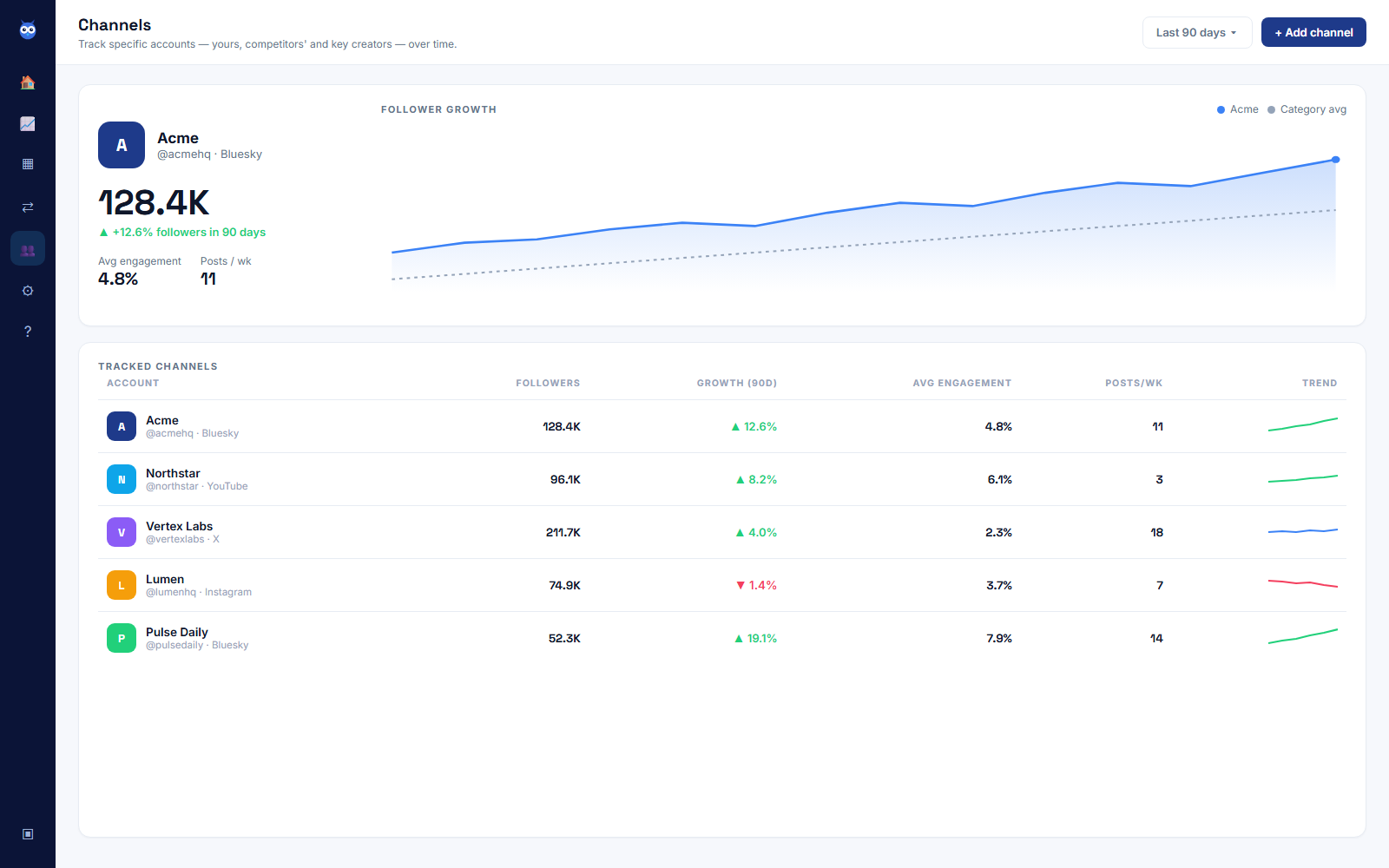
That same channel view is worth checking the week after launch too, not just during it. A launch post's follower growth and engagement usually taper within a few days, and watching that curve tells you whether the spike converted into anything lasting or whether it was a one-day blip you need a second push to build on.
Reply like you read it, because you did
The advantage of a listening-sourced lead over a cold one is that you already know exactly what the person said. Use that. "Saw you mention chasing late invoices manually, this is basically what we built for that" reads completely differently from a generic pitch, because it proves you read their words rather than found their name. If what they described genuinely isn't what your product does yet, say so and move on. A wrong reply to a public post is more visible, and does more damage, than a cold email nobody else sees.
Alerts help here too: a volume spike or a mention from an account with real reach is worth knowing about the moment it happens, not the next time you happen to check the dashboard.
A routine that fits around everything else you're doing
At this stage there's no spare hour in the week for a research programme, so the routine has to stay small enough to stick:
- Twice a week, five minutes: skim both monitors for anything new, and note the phrases people use to describe the problem. Those exact words are worth testing on your landing page, because they're proof they resonate with the person who wrote them, and because they were written at the moment the person felt it. Asking later gets you a worse version of the same thing: Fallesen et al., "Long-Term Recall Error in Retrospective Family Surveys" checked what people remembered against the register record and found recall quality slipping "by 0.5 to 0.6% points per year on average over a 20-year period".
- The day of and the day after any launch: watch the channel view rather than the monitors, since that's where the immediate reaction shows up first.
- Once a week, ten minutes: reply to anything you missed, and retire any keyword that's turned out to be noisy or off-target so the monitor stays useful instead of just loud.
That's under half an hour a week once the two monitors are running, and unlike a paid list you buy once and exhaust, it keeps finding new people for as long as the conversation keeps happening.
Which networks this searches, and where to look by hand
This finds people in public conversation, on the networks Babel42 covers: Bluesky, X, YouTube, Instagram, Mastodon, Tumblr, Twitch, Hacker News, DEV.to, Stack Exchange, Trustpilot and news. That is where most early technical and founder conversation happens, which is why it works so early. Communities behind a login, Reddit and private Slack groups among them, are worth searching by hand or joining yourself, alongside the monitors. Reddit is closed to tools by policy rather than by accident: its Data API Terms require a separate negotiated agreement for "commercial purposes, research in excess of rate limits, or for any use that is not expressly permitted". And keep talking directly to the people you already know are a fit. What it does is widen the pool past your own network, to the strangers already describing the exact problem you've spent months solving.
Start before you launch, not after
The two monitors above take fifteen minutes to set up and cost nothing on Babel42's free plan. Set the problem monitor first, since it's the one that finds people before any competitor does, then add the category monitor once you're ready to catch comparison and recommendation conversations too. If you want the fuller picture of how a listening tool works day to day, our plain-English guide to what social listening actually is is the place to start, and if you're weighing this against other free methods, how to do social listening for free covers the manual version and exactly where it falls short. If listening is new to you as a founder generally, not just for this one pre-launch phase, our fuller playbook for founders covers the wider habit.